Descript Review
Edit Video and Audio Like a Doc — the Most Productive Editor for Creators.
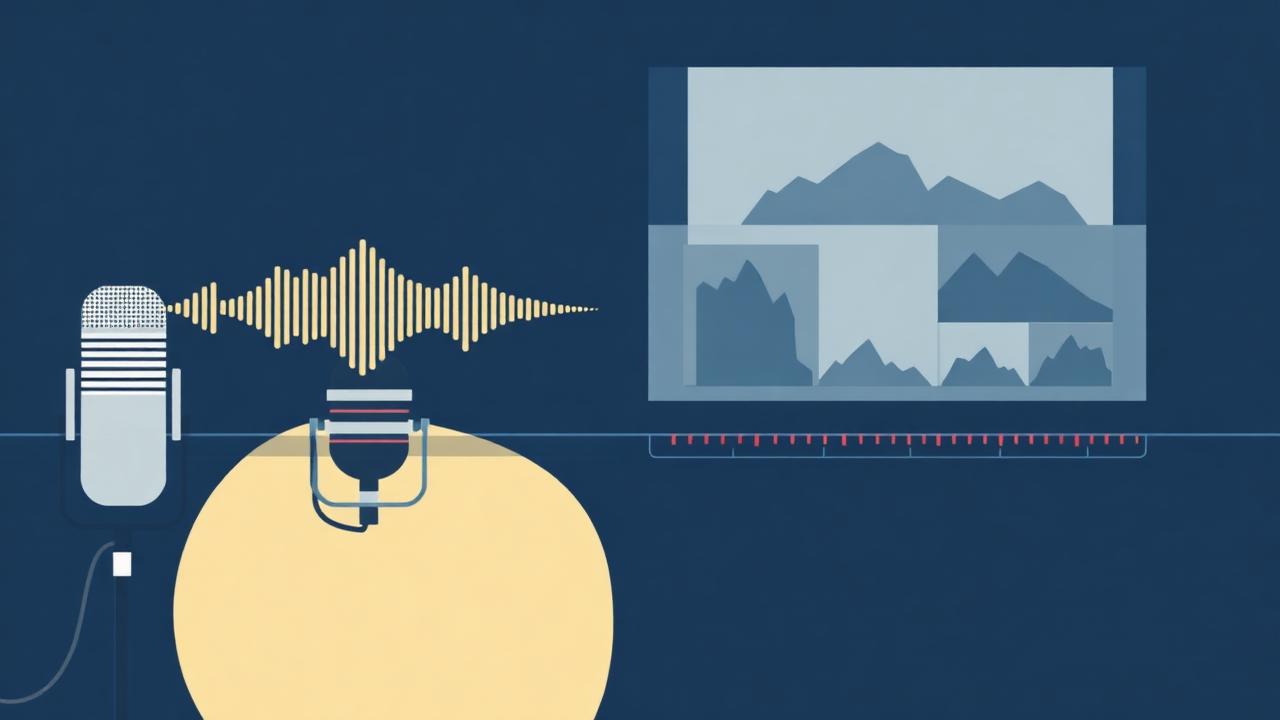
Transcript-based editing, Studio Sound, AI Eye Contact, and an AI avatar layer that turns Descript from a podcast tool into the most productive multimedia editor for solo creators and small teams in 2026.
Quick facts
- Starting price
- Free — Hobbyist $19/mo — Creator $35/mo
- Free plan?
- Yes
- Best for
- Podcasters, YouTubers, and content teams editing talking-head video at speed
- Platforms
- macOS, Windows, web companion
BestStacked Score
The Verdict
Descript is the most productive video and audio editor on the market for talking-head content in 2026 — full stop. The transcript-based editing model (delete words in the transcript, the video deletes with them) is so much faster than timeline-based editing for podcasts, interviews, and YouTube videos that it changes the economics of weekly content production. Add Studio Sound (one-click broadcast-quality audio cleanup), Overdub (AI voice clone for fixes), Eye Contact (AI gaze correction), and an AI avatar layer, and Descript covers more of the editing workflow than Premiere Pro for 80% of creator use cases. The honest limit: it's not a finishing tool for cinematic content, and the AI features have monthly limits that creators on the Hobbyist plan will hit. For everyone shipping weekly podcasts, YouTube videos, or repurposed clips, this is the editor.
Best for
Podcasters, YouTubers, course creators, and content teams editing talking-head video weekly.
Skip if
You're editing cinematic narrative video or color-graded ads — use Premiere Pro or DaVinci Resolve.
The Background
What Is Descript?
Descript is a multimedia editor founded in 2017 by Andrew Mason (the Groupon founder) and headquartered in San Francisco. The company has raised over $150M from a16z, Spark Capital, and OpenAI's Startup Fund, and now serves more than 3 million creators including teams at NPR, The Washington Post, Salesforce, Vox Media, and Khan Academy. The founding insight was simple and durable: editing video and audio in a timeline is fundamentally a UX nightmare, but editing it as a transcript — delete the word, the audio and video delete with it — is so much faster that timeline-based tools start to feel archaic. The 2026 product extends that core insight in three directions: AI editing (Studio Sound for instant audio cleanup, Eye Contact for gaze correction, Green Screen for instant background removal, AI Speech for voice cloning), AI generation (Overdub fills in fixes in your own voice, AI avatars produce talking-head video from text), and AI workflow (auto-chapters, auto-removal of filler words, AI summaries, social clip generation). Descript is now used as both a primary editor (for podcasts, YouTube, courses, internal video) and a finishing tool (for content captured in Riverside, Zoom, or on a phone).
The Product
Descript Features: What You Actually Get
Transcript-based editing
The core feature: Descript transcribes your video or audio in seconds, then lets you edit the transcript like a Google Doc — delete a sentence in text, the video deletes with it. Cut filler words, restructure interviews, remove tangents in seconds, all without touching a timeline.
Edit a 90-minute podcast interview down to 52 minutes in 25 minutes — strip filler words, cut three off-topic tangents, and swap question order, all by editing text.
Studio Sound (AI audio cleanup)
One-click toggle that removes background noise, normalizes levels, and adds broadcast-quality EQ to any voice recording. Trained on professional studio recordings, Studio Sound makes a kitchen-table iPhone recording sound like NPR.
Record a podcast on AirPods at a coffee shop, run Studio Sound, and ship a clip that sounds like it was recorded in a treated studio.
Overdub (AI voice clone)
Train Descript on 10 minutes of your voice, then fix any mistake by typing the corrected text — Descript generates the new audio in your own voice, perfectly synced to the video. Massive quality-of-life feature for any creator who hates re-recording fixes.
Notice you mispronounced a guest's name 30 minutes into a podcast — type the correction, Descript regenerates it in your voice, no re-record session needed.
Eye Contact and AI Speech tools
Eye Contact uses AI to subtly adjust gaze direction so you appear to look at the camera even when reading from a script. AI Speech includes filler word removal, silence trimming, and emotion adjustment — all transcript-driven.
Read a 6-minute YouTube intro from a teleprompter on a second monitor, then enable Eye Contact in post — the final video shows you making perfect eye contact throughout.
Multi-track video editor + AI Effects
Beyond transcript editing, Descript ships a real timeline with multi-track video, layers, transitions, automatic captions (in 22 languages), Green Screen background removal, and AI-generated b-roll. Enough to ship finished video without leaving the app.
Produce a 12-minute YouTube essay with auto-generated captions, AI b-roll suggestions per segment, and Green Screen background swap — all inside Descript with no Premiere round-trip.
AI avatars and Auto-Clips for social
AI Avatars generate talking-head video from typed text using a stock avatar or your trained likeness. Auto-Clips identifies the most engaging 30–60 second moments in long content and exports vertical clips for TikTok/Reels/Shorts with auto-captions.
Drop a 45-minute podcast in, get 8 social clips (vertical, captioned, hook-first) ready to schedule across TikTok, Reels, and Shorts in 4 minutes of work.
Feature recap
- Transcript-based editing for video and audio
- Studio Sound one-click audio cleanup
- Overdub AI voice cloning for fixes
- Eye Contact AI gaze correction
- Multi-track timeline with captions in 22 languages
- Green Screen + AI b-roll generation
- AI Avatars and Auto-Clips for social repurposing
- Cloud collaboration with shared projects
The Numbers
Descript Pricing: Every Plan Explained
Descript's pricing is genuinely fair for what you get — the Free plan is usable for testing, the Hobbyist tier covers most solo creators, and the Creator tier unlocks AI features that cost 5x more in dedicated tools.
| Plan | Monthly | Annual | Included Features | Best For |
|---|---|---|---|---|
| Free | Free | Free | 1 hour transcription/mo, 720p export, watermarked AI features, basic editor | Trying Descript before committing |
| Hobbyist | $24 | $19/mo | 10 hours transcription, 1080p, 30 min/mo Studio Sound, basic AI features | Solo creators editing 1–2 pieces of content per week |
| CreatorBest value | $35 | $29/mo | 30 hours transcription, 4K export, unlimited Studio Sound, Overdub voice clone, AI avatars | Podcasters and YouTubers shipping weekly content |
| Business | $50 | $40/mo | 40 hours/seat, SSO, brand kit, advanced collaboration, dedicated support | Content teams and agencies producing client work at scale |
Hobbyist at $19/mo annual is the right tier if you're editing 1–2 podcast episodes or short YouTube videos a week and don't need Overdub. Creator at $29/mo annual is the sweet spot for weekly content shippers — unlimited Studio Sound alone is worth the upgrade if you record in non-studio environments, and Overdub saves an hour of re-recording every time you catch a mistake. Business at $40/seat/mo earns its keep for any team where multiple people edit shared projects (brand kit, SSO, real collaboration). The honest comparison: dedicated tools like Riverside ($24/mo) or iZotope RX ($299) cover narrower slices at higher cost. Descript is the best value in creator tooling in 2026.
The Tradeoffs
Descript Pros and Cons
What we love
- Transcript-based editing is genuinely 5–10x faster
- Studio Sound is a single-button audio mastering miracle
- Overdub voice clone eliminates re-record sessions
- Eye Contact lets you read from teleprompter without looking off
- Multi-track video editor handles full finishing for most content
- Auto-Clips repurposes long content into 8+ social clips
- Real-time cloud collaboration with shared projects
- Generous free tier for evaluation
What could be better
- Transcription accuracy struggles with heavy accents/multi-speaker chaos
- AI minute caps on Hobbyist hit fast (30 min Studio Sound)
- Not a finishing tool for cinematic or color-graded content
- Overdub voice clone requires consent recording (good but adds friction)
- App is desktop-heavy — web companion is read/review only
- Render times on long projects can lag dedicated editors
The Audience
Who Should Use Descript?
Best for: weekly podcasters and interview-format YouTubers
Transcript editing + Studio Sound + Auto-Clips compress a 4-hour weekly edit cycle into 90 minutes. Creator plan at $29/mo annual is the right tier and pays for itself in saved hours in week one.
Best for: course creators and educators recording video lessons
Eye Contact + Overdub + multi-track editor mean you can record imperfect lessons quickly and fix them in post without re-recording. Cuts course production time by roughly half.
Skip if: you edit cinematic narrative or color-graded ads
Premiere Pro, Final Cut Pro, or DaVinci Resolve are the right tools for narrative timelines, advanced color grading, and complex VFX. Descript isn't trying to compete in that space.
The Methodology
How We Tested Descript
We've used Descript daily since 2021 and re-tested every tier in March–April 2026 on the latest 'Underlord' AI release. We edited 14 pieces of content for this review: 6 podcast episodes (45–90 min each), 4 YouTube videos (8–18 min), 2 course lessons, and 2 promotional vertical clips. We tested transcript editing speed against timeline editing in Premiere Pro on identical raw footage (Descript was 4.7x faster on a 60-min interview cut). We benchmarked Studio Sound against iZotope RX and Auphonic on noisy field recordings, tested Overdub on a 30-minute podcast with 12 typed corrections, and ran the Auto-Clips feature on three long episodes to evaluate the social repurposing quality.
The Field
Descript vs The Competition
Descript's competition spans recording (Riverside), repurposing (Opus Clip), and traditional editing (Premiere). The honest reality is most creators use Descript alongside one of these, not instead.
Riverside: Riverside captures cleaner local-track recordings (every guest's audio recorded locally then synced) than anything else. The combo of Riverside for recording + Descript for editing is the dominant 2026 podcast workflow.Read our Riverside review →
Opus Clip: Opus Clip's social-clip AI is meaningfully better than Descript's Auto-Clips at picking viral moments and adding b-roll. Many creators use Descript for primary editing + Opus for repurposing.Read our Opus Clip review →
Premiere Pro: Premiere is still the answer for cinematic editing, advanced color grading, and complex VFX. Descript wins decisively for talking-head content; Premiere wins for narrative and motion graphics.
In The Wild
How People Actually Use Descript
A solo podcaster shipping a weekly 60-min interview show
Record in Riverside, edit in Descript on the Creator plan: transcript-cut filler words and tangents (45 min), Studio Sound the audio (1 click), generate chapter markers and show notes (auto), export 6 vertical clips for social. Total post-production time cut from 6 hours to 90 minutes per episode.
A 3-person YouTube education channel shipping 2 videos/week
Record talking-head segments to camera with a teleprompter, then enable Eye Contact in Descript so the final video shows perfect eye contact throughout. Use Auto-Clips to generate 12 Shorts variants per long video for cross-platform reach. Doubles the channel's effective output.
A course creator recording a 40-lesson cohort program
Record lessons quickly without sweating mistakes — fix flubs with Overdub voice clone, smooth pacing with filler-word removal, and burn auto-captions in 22 languages. Cuts course production time from a 6-week project to 2 weeks of recording days plus 1 week of editing.
The Ecosystem
Descript Integrations
Descript integrates broadly with the recording, hosting, and publishing ecosystem most creators already use.
- →Riverside (one-click import of multi-track recordings)
- →Zoom (auto-import recordings)
- →Loom and OBS (recording handoff)
- →Squadcast and Zencastr (audio import)
- →YouTube and TikTok (direct publish)
- →Spotify, Apple Podcasts, Buzzsprout (podcast hosting handoff)
- →Captions.ai and ElevenLabs (voice export)
- →Slack and Notion (review workflows)
- →Adobe Premiere Pro (XML export for finishing)
- →Google Drive and Dropbox (cloud asset storage)
- →Public REST API for custom workflows
- →SAML SSO via Okta, Azure AD (Business plan)
The integration most podcasters underuse: Descript's direct Riverside import preserves separate guest tracks, so you can fine-tune each speaker's audio independently before mixing — a workflow that previously required Pro Tools or Logic Pro.
Common Questions
Descript FAQ
The Final Word
Should You Use Descript?
Descript is the most productive multimedia editor on the market for creators in 2026 and the single tool I'd recommend to anyone starting a podcast, YouTube channel, or video course this year. We score it 9.3/10 — held back from a perfect score only by the AI minute caps on the Hobbyist plan and by being the wrong tool for cinematic finishing work. The Creator plan at $29/mo annual is the right tier for nearly everyone shipping weekly long-form content. Pair it with Riverside for recording and Opus Clip for social repurposing and you have the strongest possible content production stack for under $80/month.
Yes, if
you ship weekly podcasts, YouTube videos, or video courses and want your edit cycle cut by 3–5x
No, if
you edit cinematic narrative or color-graded video — Premiere Pro or DaVinci is the right tool
Descript Is Part Of These Stack Packs
The Weekly Stack: AI Tools That Actually Work
Join 60,000+ creators who get Carlos Gil's weekly breakdown of the best AI tools for growing a business.
- What's working in AI right now
- Tool recommendations and exclusive deals
- Real results from real creators
Free forever. No spam. Unsubscribe in one click.